
If you’ve been in crypto longer than five minutes, you’ve heard it: “Not your keys, not your coins.” In 2026, that line isn’t just a meme, it’s a survival skill.
Self-custody can protect you from exchange freezes, bankruptcies, and “temporary withdrawals paused” screens that somehow last three weeks. But it also flips the responsibility onto you: your devices, your backups, your habits, your mistakes.
This playbook is built for real life, busy schedules, multiple chains, DeFi temptations, and the modern scam economy. You’ll get practical self-custody practices you can actually follow, plus a few “don’t learn this the hard way” checklists.

What “Self-Custody” Really Means In 2026 (And What It Doesn’t)
Self-custody means you control the private keys that authorize transactions. No exchange, broker, wallet company, or “support agent” can move your funds without those keys.
That’s the clean definition. The messy part is what self-custody doesn’t mean in 2026:
- It doesn’t mean “no risk.” You’re swapping counterparty risk (an exchange blowing up) for operational risk (you messing up, or getting tricked).
- It doesn’t mean “anonymous.” Blockchains are transparent by default. If your addresses can be linked to you, your activity can be profiled.
- It doesn’t mean “hardware wallet = invincible.” Hardware helps a lot, but scams don’t care what device you bought.
- It doesn’t mean you’re on your own forever. You can design recovery and inheritance plans, without giving up control.
In 2026, self-custody is less about being a lone wolf and more like running good “personal security ops.” Boring? Yes. Effective? Also yes.
Threat Model First: Who You’re Defending Against
Before you pick a wallet or buy a metal seed plate, do one thing: name your most likely threat. Security that doesn’t match your threat model is just expensive decoration.
Here are the most common “enemies” in 2026:
- Phishing and fake support: Telegram/Discord DMs, fake X accounts, spoofed emails, and cloned sites.
- Wallet drainers: Malicious dapps that trick you into signing approvals or signatures that hand over assets.
- Malware and browser compromise: Clipboard hijackers, malicious extensions, screen readers.
- SIM swaps and account takeovers: Attacks that target your phone number to reset logins elsewhere.
- Physical theft or coercion: Someone gets access to your backups, or to you.
A simple framework that works:
| Threat | More likely if… | Best defenses |
|---|---|---|
| Phishing/drainers | You use DeFi/NFTs often | Separate wallets, allowance hygiene, transaction simulation |
| Malware | You install lots of apps/extensions | Dedicated device profile, fewer extensions, hardware wallet |
| SIM swap | You use SMS 2FA | Number lock, app-based 2FA, remove phone recovery |
| Physical theft | You store backups at home only | Redundant storage, passphrase, safe/deposit box |
If you’re mostly a long-term holder, your playbook looks different than a daily DeFi user. And that’s fine.
Custody Setups That Make Sense For Most People
You don’t need an institutional custody rig to be safe. Most people need a setup that’s hard to steal and easy to maintain.
A good rule: if your setup is so complex you won’t maintain it, it’s not secure, it’s fragile.
Single-Signer Wallets: When Simple Is Safer
A single-signer wallet means one key controls the funds. This is the default for most hardware wallets and many software wallets.
Single-signer is often the right answer when:
- Your portfolio is modest (or you’re still learning)
- You don’t need shared access
- You want to reduce failure points
- You’re prioritizing “I will actually do this correctly” over “this is theoretically perfect”
Practical best practice in 2026:
- Use a hardware wallet for long-term holdings (especially once you’re into “this would hurt to lose” territory, many people use $10k as a personal threshold).
- Buy hardware wallets only from the manufacturer (not marketplaces where returns/tampering happen).
- Do a test deposit + test withdrawal before you park real money.
Multisig: When You Need Shared Control Or Higher Assurance
Multisig means more than one key is required to move funds (like 2-of-3). Done well, it can:
- Remove a single point of failure
- Protect against one compromised device
- Enable shared control (partners, small teams, DAOs, family office vibes)
But multisig is also where people accidentally build Rube Goldberg machines.
Multisig makes sense when:
- Your holdings are large enough that extra setup time is worth it
- You want “two-person integrity” (no single person can rug the wallet)
- You can commit to documentation and periodic recovery testing
Common multisig mistakes:
- Putting two keys on the same laptop (defeats the purpose)
- Storing all backups in one place (one fire, one burglary, game over)
- Not planning for a lost signer (people lose devices, because they’re people)
If you’re considering multisig, treat it like a system you’ll run for years.
Smart-Contract Wallets And Passkeys: Pros, Cons, And 2026 Reality
In 2026, smart-contract wallets (enabled by account abstraction on certain networks) are more mainstream. You’ll see features like:
- Passkeys/biometrics as a user-friendly login layer
- Social recovery (trusted guardians help you recover)
- Transaction rules (spending limits, delays, approved addresses)
- Gas sponsorship / flexible fees (depending on chain)
Pros:
- Much easier UX for everyday users
- Powerful security controls if configured well
- Less seed-phrase obsession in some designs
Cons (the grown-up part):
- Smart contract risk: bugs, upgrade keys, dependency risk
- Chain-specific behavior: portability isn’t always clean
- Recovery complexity: “guardians” can be a superpower or a liability
Reality check: passkeys are great for convenience. But if you’re storing serious wealth, you still want a plan that doesn’t depend entirely on one vendor’s stack or one chain’s wallet standard.
Secure Device And Wallet Hygiene (Where Most Losses Still Happen)
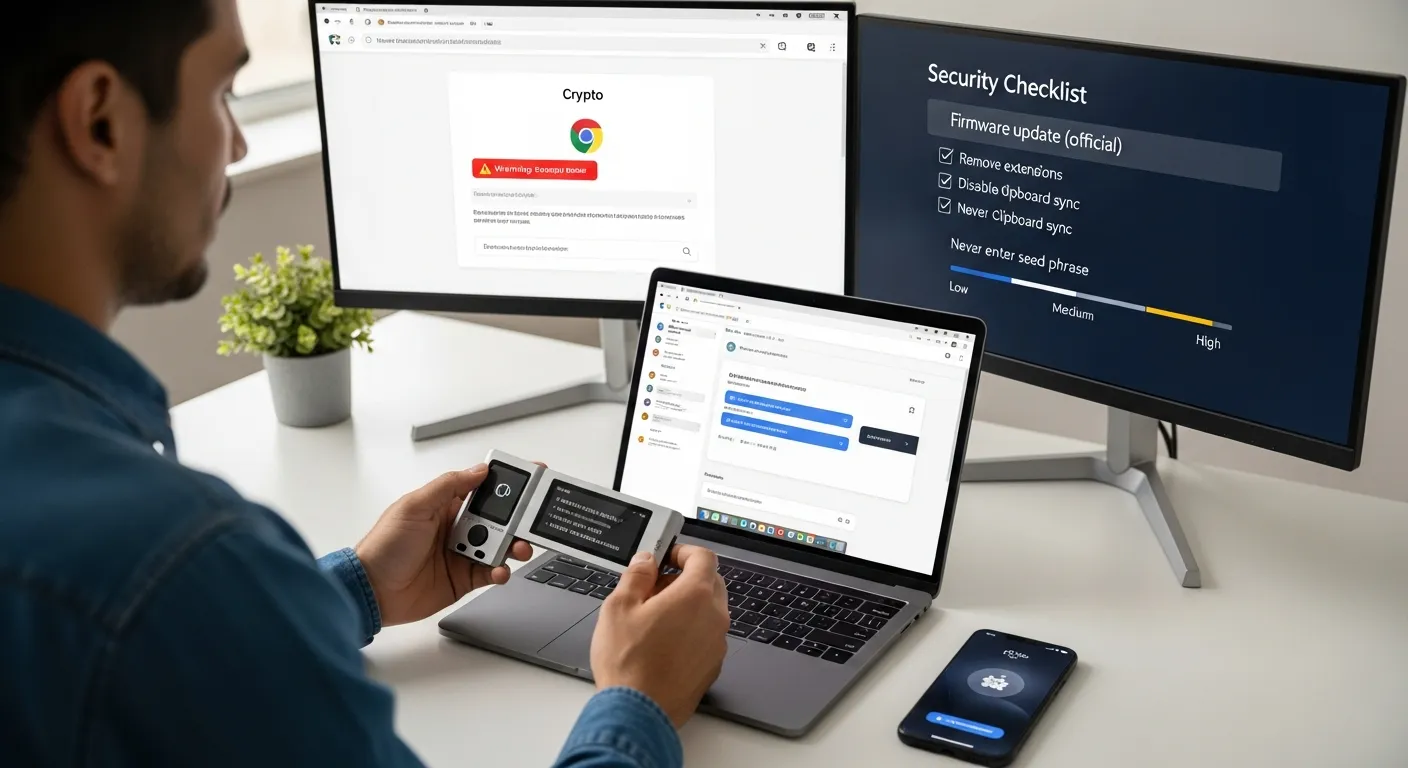
Most people don’t lose funds because they picked the “wrong chain.” They lose funds because they:
- clicked a link
- installed a sketchy extension
- approved something too fast
- stored their seed phrase somewhere silly
So yes, wallet choice matters, but your daily hygiene matters more.
Hardware Wallet Use Without False Confidence
Hardware wallets keep private keys offline. That’s huge. But hardware wallets don’t protect you from you approving the wrong thing.
Hardware wallet best practices that still matter in 2026:
- Verify the address on the hardware wallet screen (not just your computer screen).
- Use a dedicated “crypto browser profile” with minimal extensions.
- Never type your seed phrase into any website. Ever. Not for “verification,” not for “migration,” not for “support.”
- Keep firmware updated, carefully. Only via official sources.
If you do DeFi often, consider a “two-wallet” habit:
- Hardware wallet = long-term holdings
- Hot wallet = spending / experiments
Phone And Browser Hardening For On-Chain Activity
Your phone and browser are basically the front door to your crypto life.
Quick hardening checklist (low pain, high payoff):
- Use a password manager (and protect it with a strong master password + app-based 2FA).
- Turn on device-level security: PIN/biometrics, auto-lock, encrypted storage.
- Keep OS and wallet apps updated from official stores only.
- Remove random browser extensions. If you don’t know why it’s installed, it shouldn’t be.
- Disable clipboard syncing across devices if you frequently copy/paste addresses.
Here’s a simple “risk ladder”:
- Lowest risk: dedicated device/profile + hardware wallet + minimal dapps
- Medium risk: daily driver laptop + some dapps + careful approvals
- Highest risk: extension soup + clicking links from DMs + “I’ll just sign this real quick”
If you recognize yourself in that last one… you’re not alone. But you should change it before the market teaches you.
Seed Phrases, Passphrases, And Backup Storage That Actually Works
Seed phrases are still the core recovery method for many wallets in 2026. The problem isn’t that they’re bad, it’s that humans are creative in the worst ways.
Your goal: make backups recoverable without making them stealable.
Writing, Storing, And Testing Backups Without Creating New Risk
Rules that will save you from 90% of disasters:
- Write it down offline. Pen + paper (or metal) beats screenshots.
- Never photograph or scan your seed phrase. Your camera roll is not a vault.
- Never store it in email, Notes apps, Google Drive, or a password manager “just for now.” “Just for now” is how future-you gets wrecked.
Storage options that work:
- Fire-resistant home safe (good)
- Safety deposit box (good)
- Two secure locations (better than one)
And one habit most people skip: test recovery.
A practical drill:
- Set up wallet
- Back up seed
- Send a small amount ($5–$20)
- Recover the wallet on a fresh device/app (or simulate recovery)
- Send funds back
That 15-minute test is worth more than 50 hours of Reddit research.
Splitting Backups Vs Shamir: When It Helps And When It Backfires
People love the idea of splitting a seed phrase like a treasure map. Sometimes it’s smart. Sometimes it’s a trap.
Naive splitting (don’t do this):
- 12 words split into 6 and 6
- Stored in two places
Why it backfires: you’ve created two fragile halves, and you’ve increased the chance you lose one. Also, some split methods leak structure.
Shamir / threshold schemes (sometimes good):
- You can create a set of shares (e.g., 2-of-3) where any two recover the secret
When it helps:
- You want redundancy across locations
- You can document the process clearly
- You’ll run periodic recovery tests
When it backfires:
- You don’t fully understand how to recover
- Your heirs won’t understand it
- You generate shares and then… never test them (classic)
If you’re not the type to run drills, keep it simple: redundant full backups in secure locations, plus a passphrase if appropriate.
Using Passphrases Safely (And Avoiding Lockout Scenarios)
A passphrase (often called the “25th word”) creates a hidden wallet on top of your seed. Great for protecting against someone finding your seed backup.
But it comes with a brutal tradeoff:
- Lose the passphrase = lose the funds
If you use a passphrase, do it like a professional:
- Make it long and memorable (not clever, not cute)
- Store it separately from the seed (different location)
- Document clearly that a passphrase exists (for recovery/inheritance)
- Test recovery using the passphrase before moving meaningful funds
One practical approach: keep a small “decoy” amount on the non-passphrase wallet. If someone forces access, you’re not showing them your whole net worth. Not fun to think about, but security is sometimes just adulting with better tools.
Transaction Safety In A World Of Drainers, Approvals, And MEV
In 2026, attackers don’t always “hack” you. They trick you into authorizing your own loss.
If you use DeFi, NFTs, bridges, or new token launches, transaction safety is the whole game.
Wallet Approvals And Allowance Hygiene
Token approvals are silent killers. You approve a contract once, and it can potentially move your tokens later (depending on the allowance and contract behavior).
Better habits:
- Prefer exact allowances instead of unlimited approvals when possible
- Revoke old approvals periodically
- Treat new dapps like raw chicken: assume contamination until proven otherwise
Useful tools change by chain, but the principle doesn’t: review and revoke allowances. For Ethereum, many people use explorers and popular allowance dashboards: start from reputable sources like Etherscan and follow their ecosystem links.
Address Verification, Test Sends, And High-Value Transfer Checklists
If you’re moving serious value, slow down. Here’s a checklist you can actually use:
High-value send checklist (copy/paste into your notes app if you want):
- Confirm you’re on the correct chain/network
- Verify address on the hardware wallet screen (if using one)
- Check the first/last 6 characters of the address (at minimum)
- For new addresses: send a test transaction first
- Wait for confirmations (don’t race your own funds)
- Don’t do this while tired, rushing, or distracted
Yes, it’s boring. That’s why it works.
Safer DeFi Habits: New Wallet, New Dapp, New Risks
If you’re active on-chain, you’ll be exposed to new dapps constantly. The safest approach is segmentation:
- Use a separate wallet for “trying new things”
- Keep your long-term holdings completely out of that wallet
- Don’t connect your vault wallet to random sites, ever
Also: watch for wallet “simulation” warnings. Many modern wallets try to preview what a transaction will do. It’s not perfect, but if it says “this may drain assets,” believe it.
And one more 2026 reality: MEV and sandwich attacks are still a thing on some networks. If you’re swapping size, consider:
- Using aggregators/routes that reduce slippage
- Avoiding illiquid pools
- Using limit orders where available
For market context and general crypto data, cross-check basics like market cap and token contract addresses on CoinMarketCap (don’t treat it as gospel, just a solid starting point).
Operational Controls For Bigger Portfolios
Once your portfolio grows, “don’t click links” stops being enough. You need operational controls, the same way businesses use policies, budgets, and approvals.
Wallet Segmentation: Hot, Warm, Cold, And Vault Funds
Segmentation is the simplest way to reduce blast radius.
A practical model:
- Hot wallet: small spending balance: connected to dapps
- Warm wallet: medium balance: occasional use: limited approvals
- Cold wallet: long-term holdings: rarely moves
- Vault: highest assurance setup (often multisig and/or deep cold storage)
You don’t need all four tiers, but you should at least separate:
- “I connect this to things” from “I would cry if I lost this.”
Spending Policies, Daily Limits, And Time Delays
You can borrow a page from traditional finance:
- Set a personal “daily max loss” rule
- Use wallets/features that support spending limits and time delays (especially with smart-contract wallets)
- Require a second device or second signer for large moves
Time delays are underrated. Attackers want speed and panic. A 24-hour delay gives you a chance to notice something’s wrong.
Staying Private: Metadata, SIM Swaps, And Social Engineering
Self-custody isn’t just keys, it’s also you.
Practical privacy and anti-scam habits:
- Lock down your mobile carrier account (port-out PIN, extra verification). SIM swaps still happen.
- Don’t publicize holdings. The best portfolio is the one nobody knows about.
- Use separate emails for crypto accounts vs. your public-facing life.
- Assume “support” DMs are scams. Real teams don’t need your seed phrase to help you.
Social engineering is just sales with evil intent. And some scammers are, unfortunately, very good at sales.
Recovery Planning, Inheritance, And “When Things Go Wrong”
If your plan is “I’ll never lose my phone,” that’s not a plan, it’s a vibe.
Recovery planning is what separates confident self-custody from nervous self-custody.
Disaster Recovery Drills: What To Test And How Often
Run a simple drill:
- After initial setup (mandatory)
- After any major change (new passphrase, new wallet type, multisig changes)
- Once or twice a year (calendar reminder)
What to test:
- Can you locate your backups quickly?
- Are the words legible and complete?
- Do you understand the recovery steps?
- If multisig: can you reconstruct with one signer missing?
It’s like checking smoke alarms. Annoying until the day it isn’t.
Inheritance And Continuity Plans Without Exposing The Keys
This is the part everyone avoids… until it’s urgent.
A reasonable inheritance plan aims for:
- Your heirs can recover funds
- No single person has everything needed too early
- Instructions are clear enough for non-crypto people
Options people use in 2026:
- A documented process stored with an attorney (instructions, not keys)
- Multisig where heirs + trusted party can jointly recover
- Separate storage of seed and passphrase with clear “how to combine” instructions
The best plan is the one your family can execute under stress.
If You Think You’ve Been Compromised: Containment Steps
If you suspect compromise, speed matters, but panic is how you make it worse.
Containment steps:
- Stop interacting with suspicious sites/apps immediately
- If possible, move funds to a known-clean vault wallet (pre-created)
- Revoke approvals from a clean environment
- Assume devices may be infected: don’t “clean” while actively exposed
- Rotate passwords and secure your email and phone carrier accounts
- Document what happened (you’ll forget details later)
If you’re dealing with a large loss, consider professional incident response, but be careful: “recovery services” are a scam category all by themselves.
Conclusion
The best self-custody practices in 2026 aren’t about being paranoid, they’re about being intentional.
If you only do five things after reading this, do these:
- Separate your long-term holdings from your on-chain “adventure wallet”
- Write down your seed phrase offline and store it safely (in more than one secure place)
- Use a hardware wallet for meaningful amounts, and verify addresses on-device
- Clean up approvals and slow down on signatures (drainers love speed)
- Run a recovery drill so you know you can recover, not just hope
Crypto keeps getting easier to use. Attackers keep getting better at persuasion. Your edge is simple: good systems and calm habits.
One question to sit with: if you had to recover your wallet this weekend, no prep, could you do it confidently?
Disclaimer: This content is for informational purposes only and does not constitute financial or investment advice.