
You don’t need to be a Solidity wizard to avoid most smart contract disasters. In reality, the biggest losses usually come from boring stuff: fake contract addresses, “verified” code that doesn’t mean what people think it means, upgradeable contracts with a hidden admin key, or a token that quietly taxes every transfer.
This guide is a practical, risk-analyst-style checklist for how to verify smart contracts safely, using tools you already know (like Etherscan/Blockscout) plus a few habits that keep you out of trouble. Think of it like reading the label before you eat the mystery gas-station sushi. You might still eat it… but at least you’ll know what you’re signing up for.
Start With Basic Project Legitimacy Checks
Most “smart contract hacks” that hit retail wallets aren’t sophisticated zero-days. They’re identity problems: you interacted with the wrong contract, the team wasn’t real, or the on-chain story didn’t match the marketing story.
Identify The Real Contract Address
Before you read a single line of code, make sure you’ve got the right contract.
Use a multi-source confirmation approach:
- Project website + socials: Start from the official site, then jump to official X/Twitter, Discord, GitHub, or docs.
- Block explorer search: Search the token name on Etherscan (Ethereum) or Blockscout (many EVM chains). Be careful, names and tickers are easy to spoof.
- Trusted aggregators: Cross-check on DexScreener and (when available) dashboards on Dune. If you’re using an aggregator link, still verify you landed on the same address everywhere.
A quick gut-check: if you found the address via a reply guy on X, a Telegram DM, or a “support agent,” assume it’s malicious until proven otherwise.
Helpful sources/tools to keep open:
- Etherscan (Ethereum explorer)
- Blockscout (multi-chain explorer)
- DexScreener (DEX pairs + token pages)
- Dune (community analytics)
Confirm Team, Docs, And On-Chain Footprints Match
Now check whether the project’s claims line up with what’s happening on-chain.
Practical things you can verify in 5–10 minutes:
- Creation transaction: On the explorer, find the contract’s creation tx and the deployer address. Does that address show normal behavior (funding sources, activity), or does it look like a fresh burner wallet?
- Holder distribution: If one wallet holds a huge chunk (or the deployer still holds admin-like power), you’re taking centralization risk whether they admit it or not.
- “Partnership” claims: If they say they’re integrated with a big protocol, check whether that protocol mentions them (docs, governance forum, or official announcements). Not “someone on Discord said so.”
- Docs vs. reality: If docs mention a multisig treasury, do you see a multisig address on-chain? If they mention a timelock, can you find it?
Mini-checklist (legitimacy):
- Address matches across 3+ sources
- Deployer history isn’t sketchy
- Distribution isn’t absurdly concentrated (unless you understand why)
- Claims have on-chain or reputable off-chain evidence

Verify The Contract On A Block Explorer (And What That Actually Proves)
People see the green checkmark on a block explorer and mentally translate it as: “safe.” That’s not what it means.
What “Verified Source Code” Means And Common Pitfalls
On explorers like Etherscan/Blockscout, Verified Source Code generally means:
- The developer uploaded the source code
- The explorer recompiled it using the provided settings
- The resulting bytecode matched what’s deployed on-chain
So yes, verification is good. It’s transparency. But it doesn’t prove:
- The contract is bug-free
- The token can’t be rugged via admin functions
- The economics are fair
- The contract can’t be upgraded into something evil later
Common pitfalls you should watch for:
- “Verified” proxy, unverified implementation: The proxy might be verified while the actual logic contract is not.
- Misleading names/comments: Verified code can still be intentionally deceptive.
- Copied code: A scam can verify a forked contract that looks standard, plus a few nasty additions.
If you only do one thing: find the functions that move money and the functions that control those functions.
Match Compiler Settings, Libraries, And Linked Contracts
Verification is strongest when it’s precise.
On the explorer’s “Contract” tab, look for:
- Compiler version (example: Solidity 0.8.x)
- Optimization status and runs
- Constructor arguments
- Libraries (linked addresses)
If anything feels off, especially with proxies, follow the trail:
- Identify whether it’s a proxy pattern (you’ll often see “Read as Proxy” on Etherscan).
- Find the implementation contract address.
- Verify the implementation is also verified.
- Check whether there’s an admin address that can upgrade it.
For devs (or your dev friend you bribe with coffee), verification can also be done via tooling like Hardhat/Foundry (e.g., hardhat verify / forge verify-contract), but as an investor, your job is simply to ensure the explorer shows a consistent, verified story.
Bottom line: verified code is necessary for serious projects, but it’s not a safety certificate. It’s a starting point.
Read The Contract Like A Risk Analyst (Even If You’re Not A Developer)
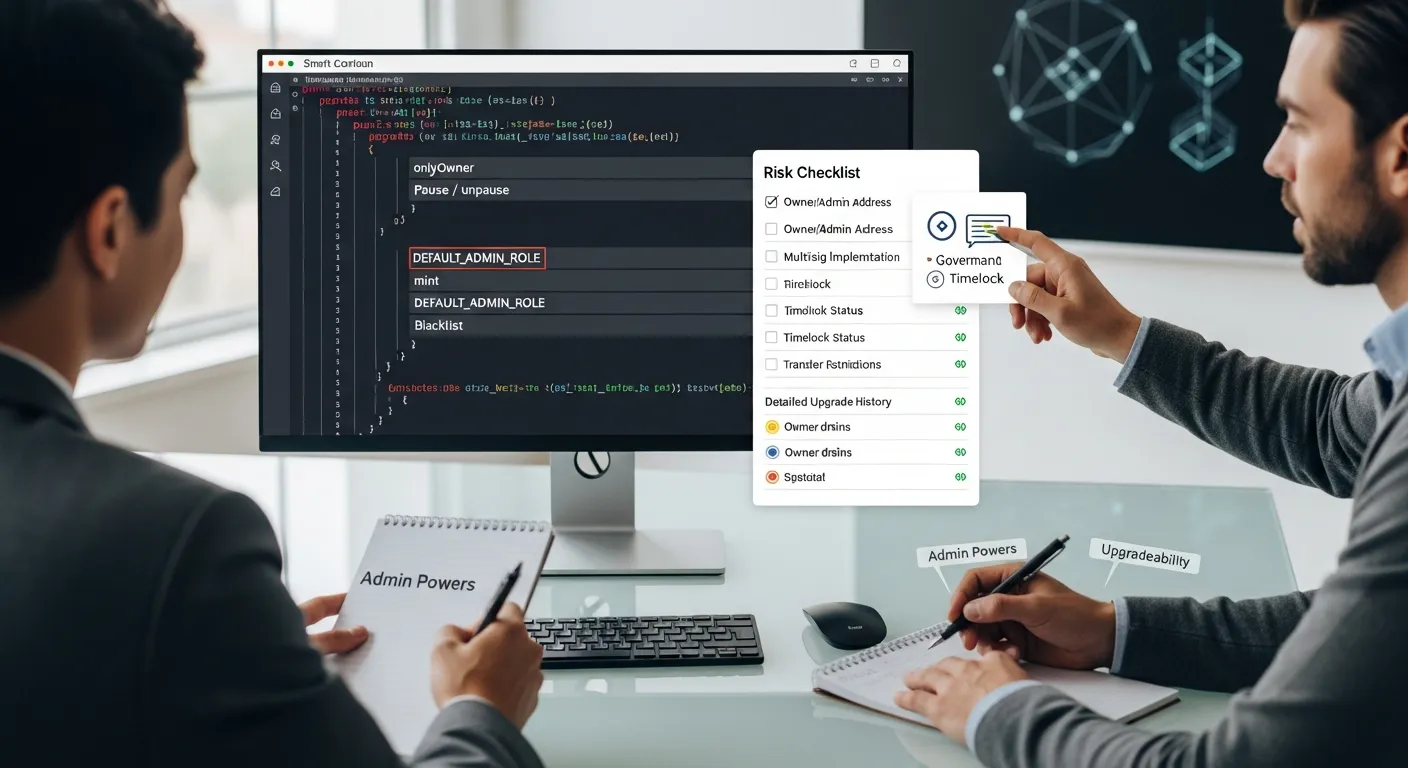
You’re not trying to prove the contract is mathematically perfect. You’re trying to answer a simpler question:
“Can someone change the rules, trap my tokens, or siphon value in a way I won’t see coming?”
Below is a non-dev way to skim for power and traps.
Scan For Centralization Controls And Emergency Powers
On the verified contract page, use search (Ctrl/Cmd + F) for keywords like:
onlyOwnerowner()pause,unpauseblacklist,whitelistsetFee,setTax,setMaxwithdraw,rescueTokens,sweep
None of these are automatically evil. A pause function can protect users during an exploit. But centralization controls create trust dependencies.
Ask yourself:
- Who is the owner/admin address?
- Is it a multisig?
- Is there a timelock?
- Are the limits reasonable and clearly documented?
If the team can pause trading, change fees, or restrict transfers at any time, you’re basically buying a token with “Terms of Service.” On-chain.
Check Upgradeability, Proxies, And Admin Keys
Upgradeable contracts are common in DeFi because bugs happen. But upgradeability also means the code you reviewed today might not be the code you’re using tomorrow.
Look for signs of:
- Proxy contracts (Transparent Proxy, UUPS, etc.)
- Functions like
upgradeTo,upgradeToAndCall - Admin roles like
DEFAULT_ADMIN_ROLE
If it’s upgradeable, your risk checklist should include:
- Who can upgrade? (a single EOA wallet is higher risk than a multisig)
- Is there a timelock? (gives users time to exit before upgrades)
- Is upgrade history visible? (past upgrades with clear announcements are a good sign)
Here’s a simple mental model:
- Non-upgradeable + renounced ownership can reduce admin risk, but may increase “no one can fix it” risk.
- Upgradeable + strong governance/timelock can be reasonable.
- Upgradeable + anonymous owner key is… a vibe. A bad one.
Spot Common Red Flags: Fees, Blacklists, Mints, And Transfer Restrictions
This is where many meme coins and shady launches get you.
Look specifically at the token’s transfer logic (often _transfer() in ERC-20 variants). Red flags include:
- Hidden or adjustable transfer fees/taxes: If fees can be set to very high values, you could be trapped (buy is easy, sell is brutal).
- Blacklist functions: Team can block addresses from selling/transferring.
- Mint functions: Ability to mint more supply than marketed (inflation rug).
- Transfer restrictions: “Anti-bot” rules that conveniently never turn off.
Here’s a quick reference table you can use while scanning:
| Risk | What you’ll see | Why it matters |
|---|---|---|
| Adjustable taxes | setTaxFee, setFees, variables like buyTax, sellTax | Can turn into a sell trap |
| Blacklist/whitelist | blacklist[address] = true | Can block exits |
| Minting power | mint() not capped or role-gated | Can dilute you fast |
| Transfer gating | require(whitelisted[msg.sender]) | Might prevent selling |
| Owner drains | withdraw() to owner | Can siphon assets |
Pro tip: If you don’t understand a function that clearly changes balances or permissions, that’s not a reason to ignore it, it’s a reason to slow down.
Validate Token And Trading Mechanics Before You Buy
Even a “clean” contract can be a bad trade if the market mechanics are stacked against you.
Confirm Liquidity, Ownership, And Locking Claims
If you’re buying on a DEX, liquidity is your exit door. Check:
- Liquidity pool (LP) size: On DexScreener, look at liquidity and volume. Tiny liquidity = easy price manipulation.
- Who owns the LP tokens? If the deployer/team controls LP tokens, they can potentially pull liquidity.
- LP lock or burn claims: If they claim liquidity is locked, ask: locked where, for how long, and can you verify the locker contract and transaction?
- Ownership status: If they say ownership is renounced, find the
renounceOwnershiptransaction and confirm the current owner is the zero address.
Not sure what “good” looks like? You’re aiming for verifiable claims. “Trust us bro, it’s locked” is not a mechanism.
Understand Taxes, Cooldowns, Anti-Bot Rules, And Whitelists
Tokens often include trading rules meant to prevent bot sniping at launch. Sometimes that’s legitimate. Sometimes it’s a slow-motion trap.
Look for:
- Buy/sell taxes: Are they fixed or adjustable? Are they disclosed in docs?
- Max transaction / max wallet limits: Can the team change them later?
- Cooldown timers: Prevent rapid trading: can also prevent you from exiting quickly.
- Anti-bot lists / whitelists: Who gets exempted? Can you be added to a blacklist automatically?
If you want a practical, non-technical test: simulate a buy and a sell (next section covers how). If the simulation shows wildly different outcomes than you expect, like a huge fee on sell, you just saved yourself tuition money.
Keep your mindset simple: you’re not only buying a token, you’re buying its rulebook. Make sure you’ve read enough of it to know how you can leave.
Assess Audit Signals Without Blind Trust
Audits matter. They also get misunderstood.
An audit is not a guarantee. It’s closer to a home inspection: useful, sometimes excellent, but not a promise your roof can’t leak next year.
How To Evaluate An Audit Report And Its Scope
If a project claims it’s audited, don’t stop at the logo. Read the report (or at least the key sections).
What to check:
- Who performed the audit? Are they reputable? Do they have a track record in DeFi/security?
- Scope: Which contracts and which commit hash/version were audited? If the contract was upgraded after the audit, the report may not apply.
- Findings severity: Look at Critical/High issues. Were they fixed? Or “acknowledged” (aka ignored)?
- Re-audit / verification: Is there evidence fixes were re-reviewed?
Where to cross-check credibility:
- Messari for research and project overviews (when available)
- Chainalysis for broader ecosystem/security reporting
If the audit PDF is hosted only on a random Google Drive link and not referenced anywhere else, treat it like a “screenshot of a bank balance.” Possible, but not convincing.
Cross-Check Bug Bounties, Incident History, And Community Scrutiny
Strong projects act like they expect to be attacked.
Green-ish signals:
- Bug bounty programs (often on Immunefi)
- Post-mortems if something went wrong (transparent write-ups, not silence)
- Active community review: independent devs asking hard questions, not just hype memes
Also check whether the team has a history of:
- Contract exploits
- Sudden migrations to new tokens
- “V2” launches that reset supply or holders
You’re basically building a confidence score from multiple weak signals. No single signal is perfect.
One more grounded point: in 2025, the “audit badge” is easy to market. The harder (and more meaningful) thing is good operational security over time, tight admin controls, timelocks, limited permissions, and fast disclosure when issues happen.
Use Safe Execution Habits When Interacting With Contracts
Even if the contract checks out, you can still lose money by signing the wrong approval, interacting with the wrong site, or giving a contract unlimited spending power.
This is where pros quietly outperform: not by predicting price, but by not stepping on rakes.
Simulate Transactions And Review Approvals Before Signing
Before you click “Confirm,” do two things:
- Simulate the transaction when possible.
- Tools like Tenderly can simulate many EVM transactions so you can preview what will happen (including token transfers and failures).
- Read what you’re approving.
- Token approvals (ERC-20
approve) can give a contract the right to spend your tokens later.
Rules that keep you safe:
- Avoid unlimited approvals unless you truly trust the contract.
- If you must approve, consider approving only what you plan to use.
- Periodically revoke old approvals using tools like:
- Revoke.cash
If a dApp is asking for permissions that don’t match the action (example: you’re “minting an NFT” but it wants spend access to a stablecoin), pause. That mismatch is where a lot of wallet drains start.
Limit Exposure With Wallet Hygiene And Spend Caps
Treat your wallets like you treat bank accounts:
- Use a cold wallet (hardware wallet) for long-term holdings.
- Use a hot wallet for experiments, mints, new DeFi apps.
- Keep a separate “burner” wallet for high-risk interactions.
Practical exposure controls:
- Don’t keep your whole portfolio in the wallet you use to chase new launches.
- Use spend caps (limited approvals).
- Prefer protocols with multisig admin controls and timelocks where upgrades are involved.
If you’re serious about how to verify smart contracts safely, this section matters as much as reading code. Because the most secure contract in the world can’t protect you from signing a malicious approval on a phishing site.
One last mindset shift: you’re not just analyzing contracts, you’re managing blast radius.
Conclusion
Verifying smart contracts safely isn’t about becoming paranoid, it’s about becoming methodical.
If you want the highest ROI checklist from this whole post, it’s this:
- Confirm the real contract address (multiple sources, no DMs)
- Use “Verified Source Code” correctly (transparency, not a safety stamp)
- Hunt for power (owner/admin controls, upgradeability, transfer restrictions)
- Validate trading mechanics (liquidity ownership/locks, taxes, cooldowns)
- Treat audits as evidence, not proof (scope, fixes, history, bounties)
- Execute safely (simulate, limit approvals, segment wallets)
And here’s the forward-looking part: as on-chain finance grows and wallets get smarter, the edge won’t go to the loudest trader, it’ll go to the person with the best process. You can absolutely be early and careful.
What’s one token or protocol you’re considering right now? If you run it through this checklist, which step feels most uncertain, that’s usually the step worth digging into before you buy.
Disclaimer: This content is for informational purposes only and does not constitute financial or investment advice.